Building & operating
The Līdza ecosystem: framework, deployment, telemetry, and applications
Līdza connects application development with deployment and operations. The ecosystem includes the Līdza framework, Līdza Deploy, the Kulla telemetry application, and Thura, a self-hosted workspace.
Līdza: application framework and development tools
Līdza is a web framework designed for development with AI coding agents. Its Go control plane provides HTTP routing, typed handlers, middleware, application services, a CLI, and an MCP server.
Applications declare shared data shapes in schema.lidza. Generated types and clients connect the backend and frontend through a common contract. Supported frontend templates include React, Svelte, Astro, and htmx.
The CLI provides generation, checks, tests, builds, and updates. The development MCP server exposes project context and tools, including route inspection, framework API lookup, team notes, and diagnostics. Project recipes and decisions remain in the repository alongside the application.
Optional Rust capabilities compile to WebAssembly and run in bounded execution pools. They support workloads requiring isolation, specialized libraries, or separate memory management. Applications can use Go-backed infrastructure packs without adding Rust application code.
A standard production build embeds the frontend in a Go binary. Databases and supporting services remain separate dependencies where required.
Līdza Deploy: application hosting and release management
Līdza Deploy combines a web control panel with deployment agents. The control panel is itself built with Līdza. Agents manage applications on hosting servers, while the panel provides a shared interface for deployments and operations.
Deploy connects GitHub repositories to servers, builds container releases, manages domains and HTTPS, and checks candidate readiness before activating a release. Deployment history, runtime logs, and recovery to a previous healthy release are available through the control panel.
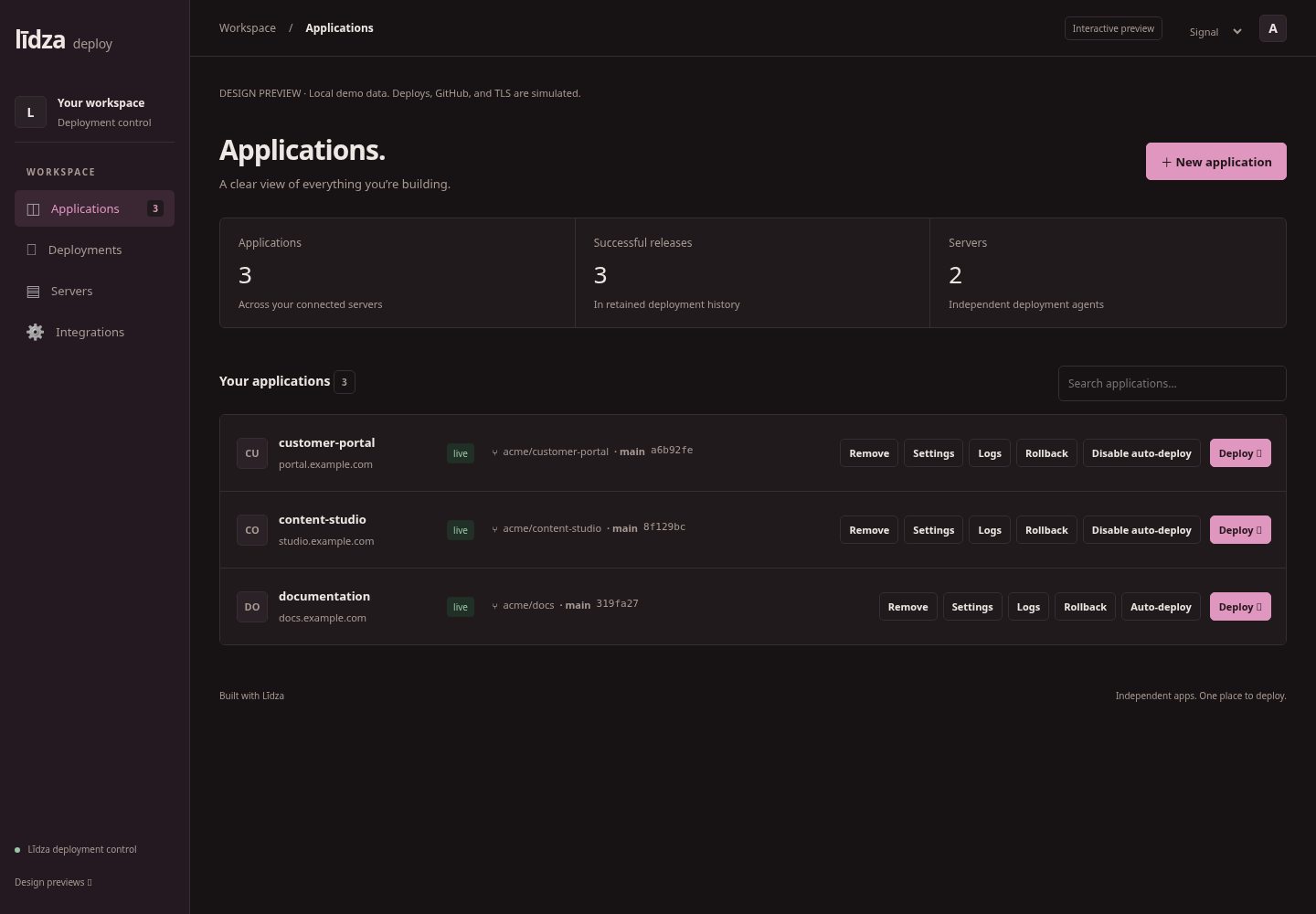
An early Signal interface design preview from the public repository. Application names and deployment states are simulated demo data.
One server can host multiple applications with separate domains. The control panel can run on the hosting server or manage agents on other machines.
Operational features include database attachments, backups, restore workflows, persistent storage, background workers, scheduled jobs, and preview deployments. Supporting services can be described in a versioned stack manifest with resource budgets and connection requirements.
Deployment configuration distinguishes infrastructure required before startup from settings collected by an application’s setup workflow. An initial installation can expose a guarded setup interface while normal application readiness remains gated. Established installations must pass ordinary readiness checks.
Deploy manages hosting resources and release operations. Each application owns its business settings and their validation.
Kulla: application telemetry
Kulla brings application activity into one interface. Its scope includes requests, errors, jobs, logs, visitors, deployment events, and runtime information, presented through streams, grouped issues, dashboards, and reports.
Kulla also supports sharing operational signals between connected applications, such as bounced email addresses and abusive IP information.
The application began on Rails and has a Līdza migration in progress. That work retains its telemetry and reporting scope while moving application functionality onto the framework. Kulla’s application source is planned for public release.
The public Kulla Ruby SDK connects Ruby and Rails applications to the telemetry hub. It provides enrollment, telemetry capture, signal synchronization, and durable buffering when delivery is unavailable. The SDK is an integration client; Kulla is the application that receives and presents the information.
Deploy supports the data services required by telemetry applications such as Kulla. Application feature implementation, deployment readiness, and successful collection are separate validation concerns.
Thura: a self-hosted workspace
Thura combines Mail, Contacts, Drive, Calendar, Chat, and Meet in one workspace. Collabora supplies document editing, Matrix supplies chat infrastructure, and LiveKit supplies meetings.
Loop connects people with related activity across messages, documents, meetings, and calendar events. Access remains subject to the permissions of each source resource.
Thura uses Līdza’s database, authentication, jobs, mail, storage, audit, language-model, and cache capabilities. Application-specific code supplies workspace behavior and service integrations.
Document workflows include access checks, locking, and immutable versions. Invitations and membership changes use workspace authorization. Mail delivery relies on durable processing, while meetings use scoped access and dedicated media services.
AI assistance is available through configured providers. Generated text remains subject to explicit user actions for insertion, saving, or sending.
Thura also contains experimental communication between independently operated servers, including paired chat/file exchange and signed email delivery. These features have separate application permissions, trust requirements, and acceptance criteria.
The deployment combines an application binary with supporting services. Compact container layouts still require resource budgets for the processes they contain. Capacity measurements apply to the configuration tested; additional services and local models require their own validation.
How the components connect
| Component | Role |
|---|---|
| Līdza | Application framework, shared contracts, capabilities, and development tools. |
| Līdza Deploy | Hosting, release management, infrastructure attachments, and recovery. |
| Kulla | Telemetry collection, application activity, issues, dashboards, and reports. |
| Thura | Workspace application using Līdza and integrations for collaboration services. |
Applications consume released framework versions through their dependencies. Deploy operates the hosting environment, while application-specific configuration and behavior remain within each product. Kulla provides telemetry across connected applications.
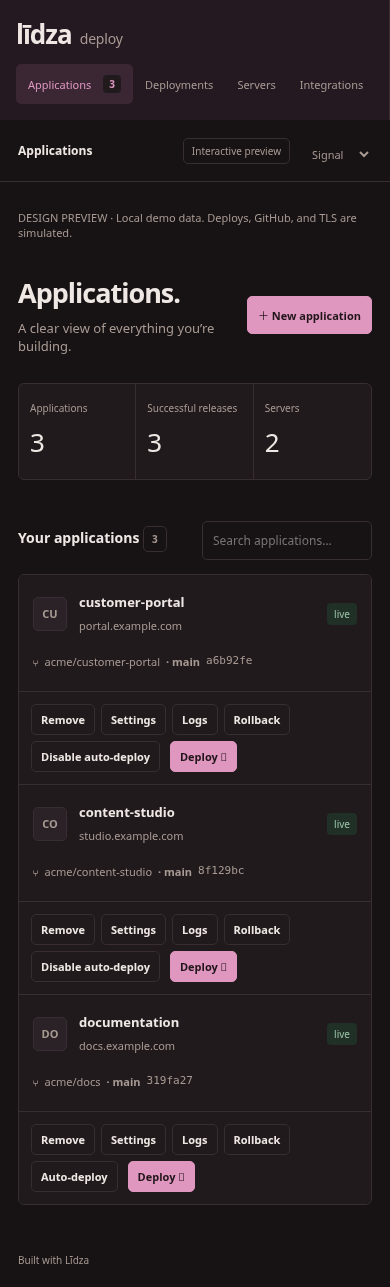
The public repository’s mobile Signal design preview, showing simulated deployment data.
The repositories contain implementation documentation, configuration contracts, and validation reports. Those reports distinguish tested configurations from planned features and deployment-specific acceptance work.